The interest is buzzing about Facebook’s News Feed changes and what it means for users. The big thing is that the News Feed is becoming much more visible. Content will be bigger (and hopefully better), pictures will dominate and the way that we take in our Facebook feed will totally change. Therefore optimizing your Facebook page for the News Feed changes is essential. We’ve compiled a few tips to get you started to ensure that when the official change happens, your page is ready to rock. If you need any help optimizing your page or have questions about the changes, feel free to contact us today!
Optimizing Your Facebook Page for the News Feed Changes
1. Get on the waiting list now: Want to see what news feed looks like before everyone else? Get your name on the waiting list here. Scroll to the bottom, click “Join the Waiting List” and voila! You’re on your way to seeing the NEW News Feed experience. Not only does this mean you’ll see it before everyone else, but it gives you the chance to get a head-start on preparing your page.  2. Prepare to get more visual:
- Make sure your cover photo is the best it can be. When someone “likes” your page, it will show up in News Feeds in a much more visual way – your page’s cover photo will be front and center. Make sure you take the time to craft a unique, appealing cover photo that stays true to your brand.
- Make your content more visual. The new design of the News Feed is meant to be more like a newspaper with bigger photos displayed in the feed. This gives your page a great opportunity to drive traffic by making sure that that not only are you posting more photos, but that they are attractive, eye-catching pictures. We recommending posting a picture as much as possible and with minimal text. Facebook recommends all images have a width of at least 552 pixels. Also note that the text appears ON the image now vs. above the image as it was before.
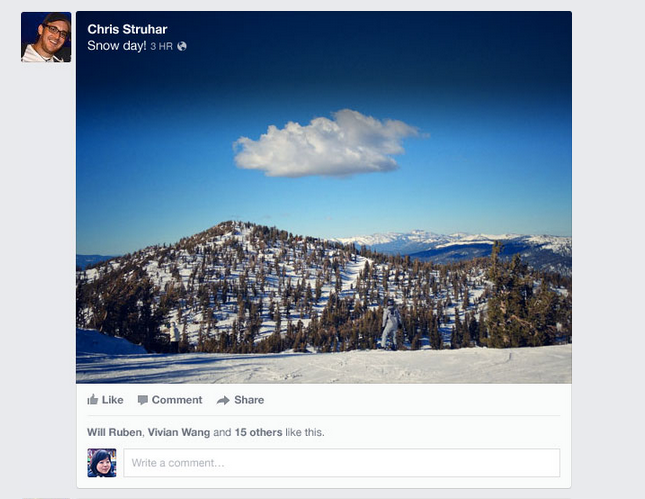
3. Make your content stand out: With the more visual design, comes another feature: people will be able to easily see which friends like a link, story or photo from your page because their photo, instead of just name, will be visible. Not only does this mean they will be able to easily tell which friends like what but that they may be more apt to visit your page based on the more visual layout! Not only is it important to be sharing pictures, but compelling content as well.
- Post regularly and consistently. It’s easy to do this with the scheduling tool and important to build your community.
- Make sure you understand your audience and are sharing content they want to see. Post topics that are trending surrounding your business.
- Be interactive by asking them to “Like” or “Share” or “Comment” on content
- Host a Facebook contest – that’s a no brainer to drive traffic and create buzz
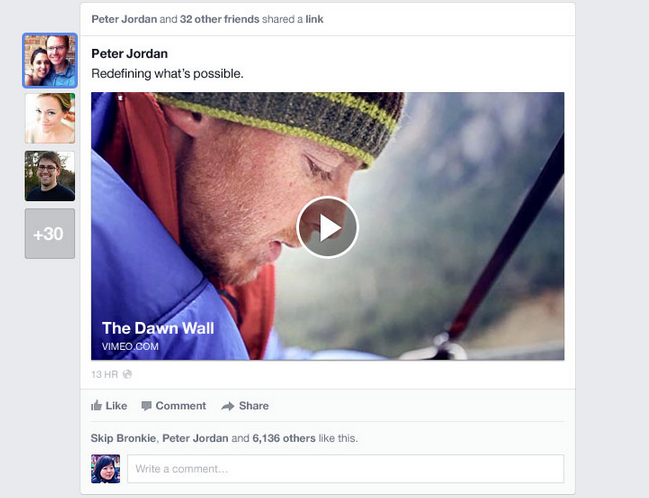
4. Encourage Fans to Check-In: If you have a physically location that people visit, ask them to check-in. The News Feed changes mean that when someone checks-in at a business or location, it will be more visual and highlighted. Therefore, if someone does check-in their friends are more likely to see it and check out your page (and maybe actually visit)!
- Post on your page once in a while asking folks to check-in
- Create signage at the physical business location asking fans to check-in on Facebook
See more about the Facebook redesign here: Have some other tips to share about optimizing your Facebook page for the News Feed changes? Share below! All Photo Credit Goes to Facebook