
Let’s face it, creating a content marketing calendar may not be the sexiest topic in the world. But your content marketing calendar is in fact one of the most important tools you will use as part of your content marketing program. The problem with content marketing calendars is that one size does not fit all and what works for one team may not work for another.
In my role at SocialNicole, I tend to be the originator of most content marketing calendars that we use for our clients. It’s true, I love sitting down and figuring out what the best way to organize a team is. It sounds boring, but there is a lot of thinking and strategy that goes behind content calendars.
To create an effective content marketing calendar you have to be looking at your team as a whole and also looking at individual roles. What I have found is that no two calendar systems are the same and there is a lot of trial and error to find a system that works. Yes you heard it – system. Did you think it was as easy as creating one calendar and you were done? Ok, maybe for smaller business clients one simple calendar will suffice for the entire content marketing program. But for companies with multiple content marketing components who are publishing multiple times in a week, one simple calendar does not cut it.
Here is our approach creating content marketing calendars:
1. Setup a Master Marketing Calendar For The Entire Year
At SocialNicole we customize our content calendars to fit our clients needs and their budgets. For every client we create a yearly editorial calendar that has all the major holidays, sales cycles, event and anything else the client may indicate is important for marketing. We review this calendar monthly and adjust it as the client gives us more information. 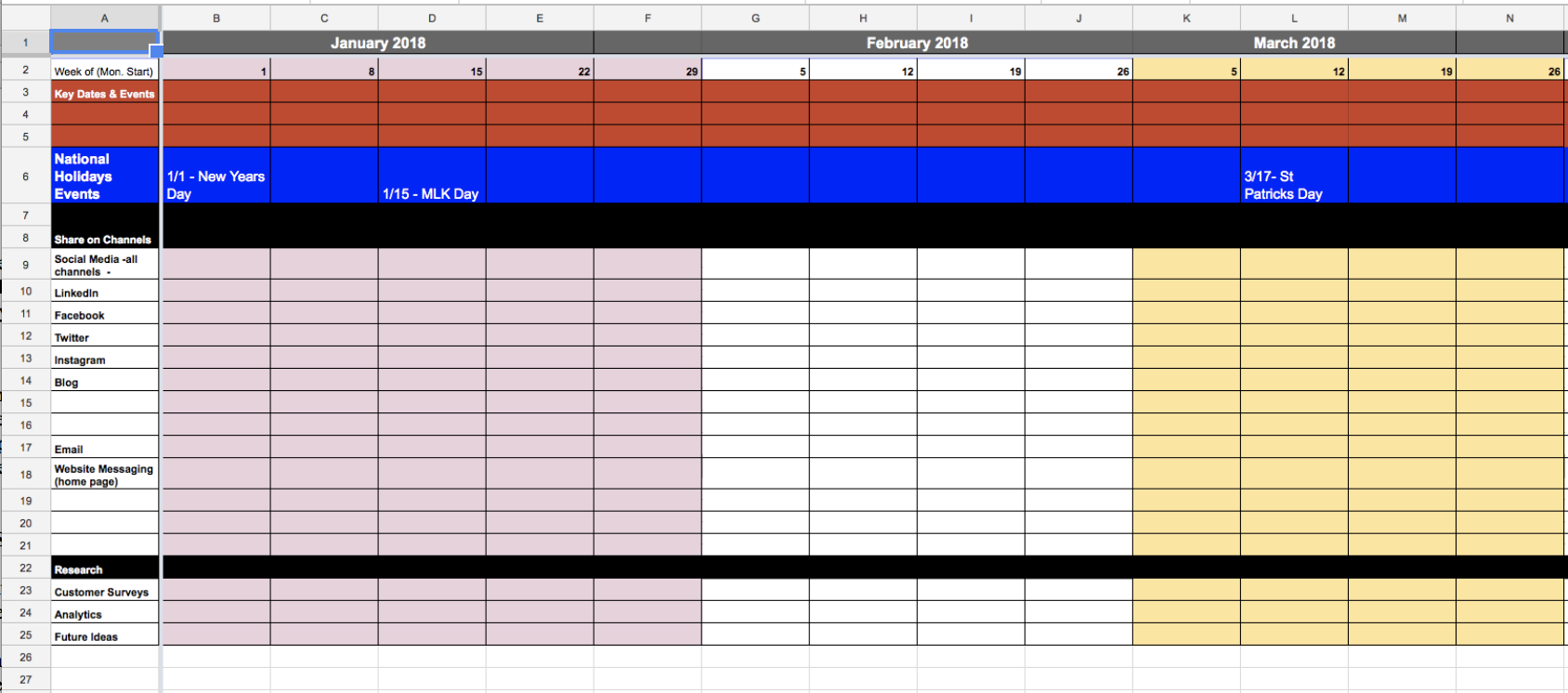
2. Create Detailed Content Marketing Calendars As Needed
At SocialNicole Digital we use the master editorial calendar on google spreadsheets to track all events and activities for clients. We then create tabs for the additional calendars we may need to add. Additional calendars could include weekly planning for large volumes of content and social media channels (larger clients), blog calendars, newsletter calendars and any other types of content we need to track more detailed information. I know it is daunting to think you may need to create and maintain multiple calendars, but in the long run creating content calendars for all your content and keeping them all tucked together in one master Google Spreadsheet document will be a huge timesaver and you will appreciate the organization.
The great thing about Google Spreadsheets is that you can share your calendar with your team and everyone can see and/or work on the caleander.
You can customize this spreadsheet to contain whatever information you need to track. Check out Kay Loire‘s guest post titled Creating a Content Calendar for Your Blog for an example of what a blog calendar may look like and see an example below: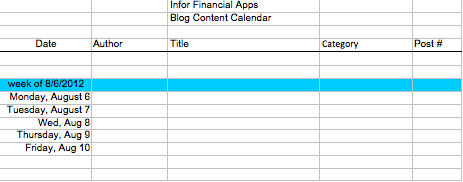
3. Create A Keyword Research Document On Hand For Topic Selection
A final spreadsheet we like to include in our content marketing calendar dynasty is one that tracks keywords and topic ideas. We approach content marketing for our clients with a SEO focus, knowing that we want to balance creating useful content with searchable content. Part of our content strategy approach is to research and identify popular keyword phrases and topics that people are talking about in an industry. The art and science involved in creating awesome content that meets the needs of potential customers comes from building a strategy based on listening, research and planning. Once we have done that we prepare a spreadsheet with the ideas mapped out to guide clients in their creation. Including this research in the master calendar document means that at editorial meetings all staff can refer to the master calendar as well as topic ideas to come up with new content.
How To Keep Your Content Marketing Program Moving Ahead
Keeping an active content marketing program running is a challenge, especially on limited budgets with limited staff. As a leading digital marketing agency, SocialNicole Digital offers full service solutions to companies to support their content marketing programs regardless of budgets. Some of the tools we use to run these programs include:
Google Docs
A cloud based document sharing system that allows real-time updates and collaboration is essential. Typically content marketing is a collaboration among team members and having a calendar that any team member can access is essential. We love Google Docs because it works seamlessly with Microsoft Office products and it’s easy to learn and use. We have successfully converted all our clients into Google Docs users because of the ease of team collaboration.
Asana
Choosing a project management software is another essential component. We like Asana at SocialNicole because it allows us to build collaborative teams that include our clients and customize permissions. Asana is simple to use and allows teams to share documents, setup to do’s and keep track of conversations. The “to do” function is essential to move content from creation to editing to approval and publishing. We use the calendar function in conjunction with our other calendar to keep track of things as we go forward.
As you move ahead with a blog or newsletter for your company, it will become more and more apparent that a content marketing calendar is what you need. Content calendars are essential to make things run as smoothly as possible and keeping your team on track! If you are looking for a great team member to help you pull together your own content marketing program, look no further. SocialNicole Digital is positioned to join your team bringing along experts in all areas of digital marketing to help you grow your content marketing program and your business. Contact Us today to learn more!